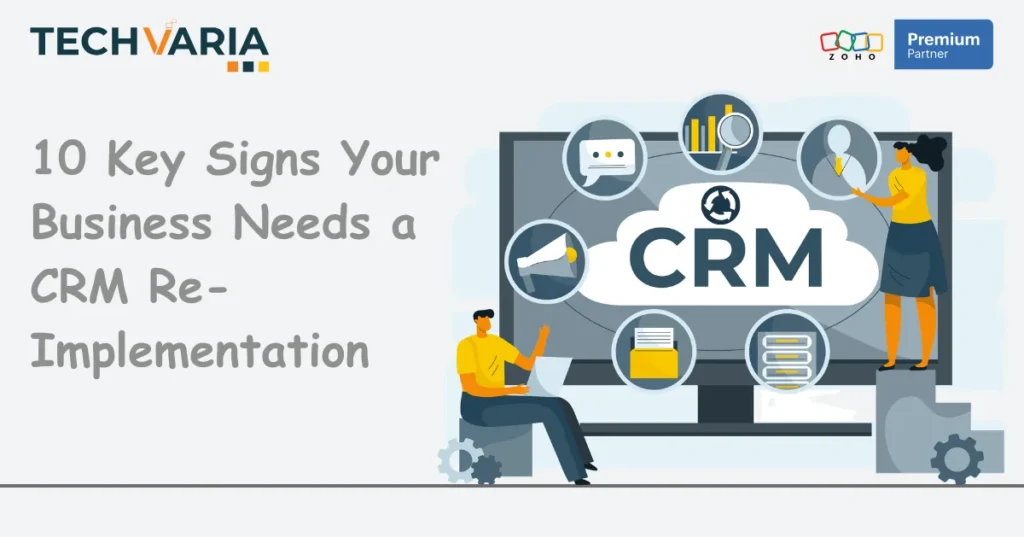
Many businesses believe that CRM implementation is a one-time investment and not an ongoing process, but the reality is debatable. Most CRMs are designed to improve data quality and boost operational efficiency to help businesses with decision-making. For instance, Zoho CRM users’ statistics show that 60% of CRM users reported an increase in sales productivity due to automation features. This supports why over 300,000 businesses adopted Zoho CRM.
However, over time, CRMs may no longer deliver the same value. Deteriorating data quality, increasing need for manual interventions, limitation in scalability and need for shadow maintenance and tracking are among the many tell-tale signs that you need CRM reimplementation.
The sooner you identify the signs that suggest your current CRM is creating more problems that are supposed to solve its time to explore solutions that address the challenges and eliminate the root cause.
Typically, when a Zoho CRM implementation is done correctly, it can transform your operations. However, an outdated or poorly configured system can only do so much over time.
To prevent your CRM from becoming a liability, watch out for these 10 warning signs and consult Zoho CRM implementation services to ensure efficient workflows and minimal downtime.
When a CRM Re-Implementation Becomes Necessary
Businesses need to understand that CRM reimplementation is more than applying surface-level fixes. In fact, proper reimplementation requires companies to rebuild their CRM foundation.
While you may fix minor configuration issues through phased optimisation, core problems need a fresh start and sometimes a complete overhaul.
In case you are facing these issues more frequently than ever, it could indicate a reimplementation is on the cards.
SIGN 1: User Adoption Has Collapsed
Sales Teams are Going Back to Excel
If your sales representatives still maintain separate spreadsheets, it could mean they are finding the official CRM slow or unreliable for daily work. Additionally, this manual activity is wasting their time and creating duplicate data, which may hamper reporting quality.
Low Feature Utilisation
Does your CRM platform offer extensive capabilities, but most are unused?
If your team uses less than 30% of the CRM function, it could mean the system was either configured poorly or doesn’t align with daily needs.
Zoho CRM for small businesses offers modular features that can be integrated in a phased manner to support growth and operations, but only when implementation matches the actual workflows.
Shadow System Proliferation
Are your departments developing their own tracking methods? This could mean the CRM is not matching up to their expectations or speed.
Typically, marketing teams use automation tools while customer services maintain an independent ticketing system to track information or progress. The problem with these shadow systems is that they fragment customer data and may not offer a unified view. This hampers ease of decision-making
SIGN 2: Data Quality Has Degraded
Duplicate Records
Duplication of customer data occurs when teams cannot find existing records quickly or decide to maintain separate entries. Multiple entries hampers accuracy of reporting and also create confusion among teams.
Incomplete Entries are Becoming Standard
If teams routinely skip required fields or tend to add minimal information, CRM has become an obstacle for them.
Additionally, incomplete data makes it difficult to segregate and organise data correctly. This again hampers automation and affects analysis.
Inconsistent Data Across Departments
Another indicator of poor data governance during implementation is a lack of uniformity in format across teams when recording data.
For instance, sales might record the company name and date format differently from finance teams.
Such conflicting formats could confuse teams and hamper analysis or tracking. Establishing consistent data standards with the help of Zoho CRM partners can address these issues.
SIGN 3: Integration Failures
APIs Breaking Frequently
One huge sign of the underlying architectural problem is integrations requiring constant maintenance. Most staff lose confidence when connections between CRM platforms and other business systems fail quite frequently, as they interrupt workflows and demand manual intervention.
Manual Data Transfer Between Systems
The more frequently employees have to copy information, the more it signals an integration failure.
Manual data transfer again raised fear of duplication, which in turn can lead to errors and loss of productivity. Modern Zoho CRM consulting services help design integration strategies that address the challenges of manual data movement.
SIGN 4: Automation and Workflows Misaligned
Triggers Firing Incorrectly
When workflows are not properly configured, automation could send emails to the wrong contacts or assign leads inappropriately. If such errors occur frequently, it could require teams to intervene in processes regularly and even hamper customer relationships.
Automation Requiring Manual Intervention
If your workflows pause for manual approval, it takes away the benefits of automation. In such a case, you must rethink the automation strategy and analyse if it needs fundamental revision.
Rigid Workflows Constrain Business.
Inflexible CRM workflows make staff learn to work without it rather than with it, which defeats the purpose.
Similarly, every time you’re launching new products or entering new markets, your CRM demanding reconfigurations also signals implementation issues.
Outdated Custom Functions are Slowing Performance.
Custom code written for old functions that no longer make sense or serve a purpose can degrade system performance. They can delay processing and frustrate users.
SIGN 5: Limited Reporting and Analytics
Pre-defined Reports Lacking Depth
Generic reports with surface-level answers fail to provide actionable direction. This doesn’t help managers who need granular pipeline analysis or attribution data for strategic insights.
Fragmented Data is Preventing Consolidation
Fragmented data across multiple systems and modules is a barrier to creating a comprehensive analysis. A strategic Zoho CRM implementation can help design data models that support unified reporting and prevent such complications.
Manual Compilation for Insights
If your staff has to export data to Excel, your CRM reporting is not working out. Creating reports manually delays critical processes and could make data less relevant. Customizable reporting features are considered more efficient at gathering analytical insights.
No Predictive Capabilities
Modern CRM platforms are equipped with AI features that help with sales forecasting and recommending actionable steps.
But if your system offers support with historical reporting, it could cost you opportunities that enable capitalising on trends. Data says AI could enhance the accuracy of sales forecasts by over 40% and boost repeat sales through personalisation and automation.
SIGN 6: Excessive Maintenance Resource Drain
IT Time Consumed by Updates and Patches
Is your tech team spending more time maintaining your CRM than improving it? That indicates your platform is becoming a liability and has underlying issues.
Continuous Workaround Creation
Businesses that require a workaround rather than a proper configuration will eventually add to your technical debt. Temporary solutions will create a fragile system that could become more difficult to maintain over time.
Shadow System Maintenance
If you’re spending resources to support an unofficial tracking system, it’s a sign of planned Zoho reimplementation.
Most teams begin maintaining spreadsheets and databases that duplicate CRM functions because the official system fails to meet their daily needs. Check with your teams to find out the issues.
Data Cleanup Replaces Productive Work
When data quality deteriorates, it demands regular cleanups. However, that doesn’t address the root cause or need for process redesign, which means teams are frequently occupied with the cleaning process rather than working on a new database.
SIGN 7: Missing Modern Capabilities
No Mobile Optimisation
Sales teams that work remotely could use full CRM access from mobile devices. That’s because systems designed for only desktop use can limit productivity and force the team to deal with data entry until they return to the office and have access.
Lack of AI Assistance
CRM platforms without AI support run the risk of putting their business at a competitive disadvantage. AI can now identify patterns, score leads, analyse data and predict outcomes. Today, 55% of users credit Zia AI by Zoho for boosting their revenue growth.
No Omnichannel Integration
Does your system still track only a few customer channels?
Modern customers prefer interacting through different channels like email, customer support, website chatbot and social media. Missing out on any major channel, like social media platforms or chatbot support, could limit your access to customer views.
Limited Customisation Options
Additionally, platforms that allow rigid confirmations cannot adapt to varying industry processes without extensive customer development.
SIGN 8: Security and Compliance Concerns
Inadequate Data Protection Measures
Currently, data breaches are more common than ever. That’s why CRM systems must implement strict security protocols. IBM’s study found that the average global cost of a data breach has reached nearly $4.4 million. Additionally, systems that lack encryption or role-based access controls often expose customers to information risk.
Regulatory Non-compliance
Regulated industries require businesses to meet strict compliance requirements when handling customer data. By complying with laws like GDPR, HIPAA, PCI DSS and DORA, businesses can prevent fines and loss of licenses. However, if your CRM now struggles to meet compliance norms, it could expose your organisation to both legal and financial risk.
No Audit Trails
Audit trails help track who accessed what data or changed it. Systems that don’t have this feature make it challenging for companies to investigate security threat-related incidents or instill a sense of accountability among teams.
Third-party Integration Vulnerabilities
CRMs that connect to third-party systems without proper security protocols expose businesses to severe risks. That’s why you need solutions that can enforce security standards across such integrations.
SIGN 9: Poor Customer Experience Management
Inability to Track Customer Journey
Modern customers connect with businesses through more than one communication touchpoint. A CRM that struggles to connect customers to their interactions may find it challenging to understand customer behaviour and their preferences.
No Personalisation Capabilities
Modern customers also expect personalisation of experiences. However, if a system begins treating every customer as an isolated one could fail to engage them.
Delayed Response Times
Customers are no longer used to delayed response times. Usually, when customer service teams can no longer access customer histories quickly, response times suffer and customer experience suffers.
Inconsistent Communication
When a CRM fails to offer a unified view of the customer journey and their interactions, different teams may end up sending conflicting messages. Such behaviour can damage a company’s credibility and damage its reputation.
SIGN 10: Scalability Limitations
Performance Degradation with Growth
Does your CRM slow down when your database volume grows? It could mean the platform wasn’t particularly designed to accommodate growth.
Other signs, like an increase in page load time and slow report generation, indicate the same problem.
Cannot Support New Business Models
An efficient CRM can adapt easily to new business models. However, systems that require extensive customisation for new initiatives like expanding into new markets, launching new products, adding more services or changing sales and marketing strategies cannot support sustainable growth.
User Licence Constraints
The platforms may impose licensing constraints that make it expensive to add new users to existing teams.
Limited Data Storage
Storage limitations are another concern that forces businesses to archive or delete accumulating customer data. This limitation prevents businesses from making long-term trend analysis.
Read Also
Why Zoho CRM is a Top Choice for SMBs Sales Success
10 Essential Steps for a Successful Zoho CRM Implementation
Re-Implementation vs. Optimisation
Most businesses are confused about whether they need to optimise or re-implement their CRM.
Notably, optimisation can help address specific issues that exist within a fundamentally sound system. For instance, a quick configuration adjustment or process refinement can solve several isolated issues.
However, re-implementation becomes the only logical solution when multiple systemic issues hamper productivity and workflow efficiency. Similarly, if the platform is struggling to support current requirements, or the Zoho CRM implementation cost of maintenance is more than re-implementation charges.
Evaluation dimensions
First, assess your CRM for user adoption rates, data quality, integration stability, automation, reporting capabilities, maintenance cost and use of features. If you identify problems in more than one of these dimensions, a simple optimisation may not be sufficient.
Cost-benefit analysis
Compare the total cost of maintaining your system against the Zoho CRM implementation cost. Make sure to include productivity gains and competitive advantage in the calculation.
Include productivity gains, improved decision-making, and competitive advantages in the benefit calculation. On average, businesses receive an ROI of $8.71 for every $1 spent on CRM software.
Zoho Implementation Framework
Zoho CRM implementation follows a structured approach that relies on discovery, data migration planning, configuration design, integration architecture, user training and post-launch support. Following the essential steps for a successful Zoho CRM implementation helps businesses ensure the new system is in tune with their processes and does not force them to conform to software limitations.
6 Success Factors for Re-Implementation
Cross-functional involvement: Helps keep every department in the loop of the progress and creates solutions that serve every team.
Data cleanup before migration: Establishes quality standards and data accuracy from day one.
Realistic timeline planning: Allows adequate testing to prevent rushed launches and repetition of previous mistakes.
Change management programmes: prepare staff for new processes and address resistance before it undermines adoption.
Phased rollouts: Reduce risk by validating configuration in a limited scope before going ahead with full deployment.
Clear success metrics: Establish accountability and helps make course correction during implementation.
How Zoho CRM for Small Businesses Simplifies Re-Implementation and Modernisation
Zoho CRM’s flexible architecture can adapt to diverse business models without the need for extensive customisations. Meanwhile, its modular design lets businesses implement core functionality and gradually add more features as per their evolving needs.
Additionally, the platform’s built-in migration tools let teams transfer their data from legacy systems seamlessly, while the validation features retain quality during the process.
Zoho’s ecosystem features integrated apps for marketing automation, customer service, business intelligence and project management. Collectively, they help address challenges common in multi-vendor setups.
Lastly, its preconfigured industry templates support implementation and quicken the process by offering access to configuration for different sectors.
7 Key Zoho CRM Features to Improve Adoption and Efficiency
Canvas design studio: Enables visual customisation without coding, which lets business users modify interfaces and workflows independently.
Artificial intelligence: The features include lead scoring and sales forecasting, which provide valuable insights that make repetitive tasks easier.
Blueprint functionality: Visualises complex processes and helps users across teams to enforce consistent execution.
Mobile applications: Delivers full functionality on smartphones and tablets, which in turn supports modern work patterns.
Workflow automation: Handles routine tasks and ensures timely follow-up without the need for teams to intervene.
Custom modules: Manages business-specific information that goes beyond standard CRM entities.
Analytics suite: Provides pre-built reports and dashboards while supporting custom analysis.
Their functionality adds value to the platform, which makes Zoho CRM implementation cost-competitive compared to enterprise alternatives.
7 Best Practices for a Successful CRM Re-Implementation
Any company with a successful CRM reimplementation history will tell you they follow these practices:
- Mapping and assessing their current processes before designing a new configuration. This practice helps identify gaps that should be avoided.
- Involving end users throughout the project is a good practice to find out whether the system is capable of serving actual needs.
- Prioritising data quality during data migration helps remove outdated or irrelevant information that no longer serves a purpose.
- Designing workflows that enforce best practices and do not rely on user discipline.
- Creating role-based permissions to maintain security and accessibility.
- Following a training programme that covers the system operations and the benefits of each process.
Other recommended practices include establishing data governance policies to maintain quality through clear ownership and regular audits. Additionally, planning integration architecture can support current connections and accommodate future requirements without major redesign.
Why Partnering with Techvaria Ensures a Smooth Zoho CRM Re-Implementation
As Zoho premium partner, Techvaria brings specialised expertise in CRM implementation. Our team have handled numerous reimplementation projects across industries and helped businesses of different sizes conquer their operational gaps.
We follow a strategic methodology that combines technical insights with through understanding of business processes. This approach helps us offer tailored solutions and design configurations that address the root cause of the issues.
We implement quality control measures to ensure accurate data migration and prevent degradations. Our hands-on training sessions enables team to use new features more confidently and improve productivity.
Through our post-implementation support, we ensure all core issues are resolved and the system is equipped to evolve with your scaling business.
What sets us apart from other Zoho CRM implementation partners is our market expertise and years of learning. For instance, our experience allows us to anticipate challenges even before they arise and apply suitable solutions.
Visit our Zoho CRM services page to explore our Zoho CRM consulting services and understand how we can help you meet your needs.
Conclusion
A CRM reimplementation is a smart investment. It protects growing businesses from the perils of a failing system, which affects productivity and decision-making. Businesses that monitor these signs and take timely actions are better equipped to handle planned downtime and retain operational efficiency.
Zoho CRM implementation services can help you strengthen the foundation of a sustainable CRM success through integrates ecosystem and flexible architecture. The platform can also help address gaps that plague traditional systems and refine the implementation approach to mininise risks.
Are you ready to address CRM challenges? Contact Techvaria today to discuss your re-implementation requirements.
Our Zoho CRM specialists will assess your current system to identify the scope of improvement and design an implementation roadmap that matches your business goals.
Contact us to schedule a free Demo Today!

Director @ Techvaria | Solutions Architect | Low-Code & AI Automation for Growth | Proven Expertise in Digital Transformation Across Industries